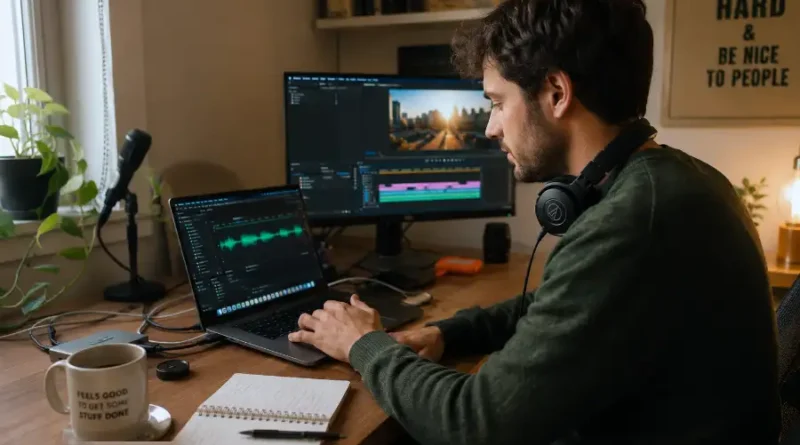
AI Voice Generator for Content Creation: What Works, What Does Not, and Which Tools Are Worth It
You have a great idea. You write the script. But then comes the hard part. Recording audio. Setting up a microphone. Doing ten takes because your voice cracked on take nine. Editing the whole thing for an hour.
Sound familiar? Most content creators go through this every single time.
That is why AI voice generators have exploded in popularity. They turn your written words into natural-sounding audio in minutes, no microphone needed. But with so many tools out there, it is easy to pick the wrong one and waste both time and money.
This article breaks everything down in clear, simple terms. What AI voice generators are, how they work, which ones are actually worth using, and how to get the best results from them for your content.
What Is an AI Voice Generator?
An AI voice generator is a tool that converts written text into spoken audio using artificial intelligence. You type your script, pick a voice, and the tool does the rest. It produces an audio file that sounds like a real human reading your words out loud.
These tools use a technology called text-to-speech, or TTS. But modern AI voice generators go far beyond the robotic voices you may remember from older software. Today, the best ones sound warm, natural, and expressive. Some are so realistic that listeners cannot tell the difference from a real person.
Content creators use them for YouTube videos, podcasts, audiobooks, e-learning courses, ads, social media content, and a lot more.
Why Content Creators Are Switching to AI Voices
The shift is about more than saving time, though that is a big part of it. Here are the real reasons creators are making the move.
- No recording setup needed. You do not need a studio, a good microphone, or soundproofing. Your laptop is all you need.
- Consistent quality every time. AI voices do not have bad days. They deliver the same clear, clean audio on every single project.
- Faster content production. A 10-minute voiceover that used to take two hours can now be done in under ten minutes.
- Multiple languages and accents. Most tools support dozens of languages, which means you can reach a global audience without hiring translators or voice actors.
- Lower costs. Professional voiceover artists charge anywhere from $200 to $500 per finished hour. AI tools cost a small monthly fee in comparison.
- Easy revisions. Made a mistake in your script? Just fix the text and regenerate. No need to book another recording session.
Who Should Use an AI Voice Generator?
The short answer is: almost any content creator can benefit. But here is a more specific breakdown.
- YouTubers who want to publish videos faster without appearing on camera
- Podcasters who need a co-host voice or want to produce episodes at scale
- Course creators building e-learning content with narrated slides
- Bloggers who want to turn articles into audio posts for accessibility
- Marketers producing ads, explainer videos, or promotional content
- Authors who want to self-publish audiobooks without a full studio
- Small business owners who cannot afford professional voiceover services
If you produce any kind of content that benefits from a human voice, this technology is worth your attention.
How Does an AI Voice Generator Actually Work?
You do not need to understand every detail behind the scenes, but a basic idea helps you use these tools better.
Modern AI voice generators are trained on thousands of hours of real human speech. The AI learns how people naturally pause, breathe, emphasize words, and change tone. When you type a sentence, the tool uses this training to predict how a real person would say those words.
The result is audio that carries real human rhythm and emotion, not the flat robotic sound of older systems.
Some tools also allow you to clone a voice. You provide a short sample of real audio and the AI builds a custom voice model from it. This is especially useful for creators who want to maintain a consistent personal voice without recording everything themselves.
Top AI Voice Generators for Content Creation in 2025
Here is a clear-eyed look at the leading tools right now, based on quality, features, and value.
ElevenLabs
ElevenLabs is widely considered the gold standard for voice quality. Its voices sound remarkably human. It offers voice cloning, emotional tone control, and supports dozens of languages. The free plan is limited but gives you a good feel for what the tool can do. Paid plans start at around $5 per month.
Murf AI
Murf is built for content creators and teams. It has a clean studio interface where you can sync your voiceover directly to video or presentation slides. It offers over 120 voices across 20 languages. It is a great choice for course creators and marketers.
Play.ht
Play.ht focuses heavily on ultra-realistic voices and voice cloning. It is popular among podcasters and bloggers who want to turn written content into audio. It also has a WordPress plugin, which makes publishing audio blog posts very easy.
Descript
Descript takes a unique approach. It is a full audio and video editor that includes AI voice features. You can record your own voice and then use the AI to fill in edits, fix mistakes, or even generate new lines in your voice. A solid pick for creators who want one tool that does everything.
LOVO AI
LOVO AI offers a large library of voices and strong options for adjusting the output. It lets you control pacing, emphasis, and emotion in ways most other tools do not. Good for creators who want more expressive, lively results.
What Most Guides Do Not Tell You: The Real Limitations
Every tool has weaknesses. Most reviews gloss over them. Here is what you actually need to know before committing to a platform.
- Emotion is still imperfect. AI voices handle calm, informational content well. But heavy emotion like grief, humor, or sarcasm can still sound slightly off. Always preview before publishing.
- Unusual words trip them up. Brand names, specialized terms, and uncommon words sometimes get mispronounced. Most tools let you add custom pronunciations to fix this.
- Voice cloning has legal gray areas. Cloning someone else’s voice without permission is a serious ethical and legal issue. Only clone voices you own or have clear rights to use.
- Listeners can sometimes tell. In quiet, personal settings like niche podcasts, a regular audience may notice something is off. Being upfront with your audience is always a smart move.
- Free plans are very limited. Most free tiers give you just enough to test the tool, not enough to produce real content at scale.
How to Get the Best Results from an AI Voice Generator
The tool is only half the equation. How you write your script makes a huge difference in how good the final audio sounds.
- Write the way people speak. Short sentences. Conversational words. Avoid complex sentence structures that sound great on paper but awkward out loud.
- Use punctuation to control pacing. Commas create short pauses. Periods create longer ones. Use them deliberately to shape the rhythm of the audio.
- Spell out numbers and abbreviations. Write “three hundred dollars” instead of “$300” and “et cetera” instead of “etc.” AI voices handle full words better.
- Test different voices before committing. A voice that sounds great on one type of content might feel wrong for another. Run a short test before producing a full project.
- Review the audio before publishing. Always listen to the full output. Catch mispronunciations, weird pauses, or flat-sounding lines before your audience does.
Is It Ethical to Use AI Voices in Your Content?
This question comes up a lot, and it deserves a straight answer.
Using AI voices for your own content is completely acceptable. Millions of creators do it. The technology exists to make production faster and more accessible, and there is nothing wrong with using it that way.
Where things get complicated is when you clone real people’s voices without permission, or when you use AI audio to mislead your audience in harmful ways. As long as you are upfront and not deceiving anyone, you are in safe territory.
Many creators now simply add a short note like “This video uses an AI-generated voice” in their description. It is a small gesture that builds a lot of trust.
Frequently Asked Questions
Can AI voice generators replace real voice actors?
For a lot of content, yes, they can handle the job well. But for projects that need deep emotional performance, character acting, or a unique personal brand voice, real voice actors still have an edge. Think of AI voices as a very capable tool, not a full replacement for human artistry.
Are AI-generated voices allowed on YouTube and podcasts?
Yes. There are no platform rules that ban AI-generated audio. YouTube does require you to disclose if your content contains realistic AI voices that could be mistaken for real people. Always check the latest platform guidelines before publishing.
Which AI voice generator sounds the most human?
As of 2025, ElevenLabs consistently produces the most natural-sounding voices. Play.ht and Murf AI are also strong contenders depending on the style and tone you need.
Can I use an AI voice generator for free?
Most tools offer a free tier with limited characters or minutes per month. This is enough to test quality and find the right fit. For ongoing content production, a paid plan is usually necessary.
How do I avoid AI voices sounding robotic?
Write conversational scripts, use natural punctuation, avoid complex sentence structures, and always preview the audio before publishing. Choosing a high-quality tool like ElevenLabs also makes a significant difference.
The Bottom Line
AI voice generators have genuinely changed what is possible for independent content creators. What used to take hours of recording and editing can now be done in minutes. The quality has reached a point where most listeners will not notice the difference.
The key is picking the right tool for your needs, writing scripts that sound natural when spoken, and always reviewing your output before it goes live.
If you have been putting off audio or video content because the production side felt too hard or too expensive, now is a good time to start. The barrier has never been lower.