
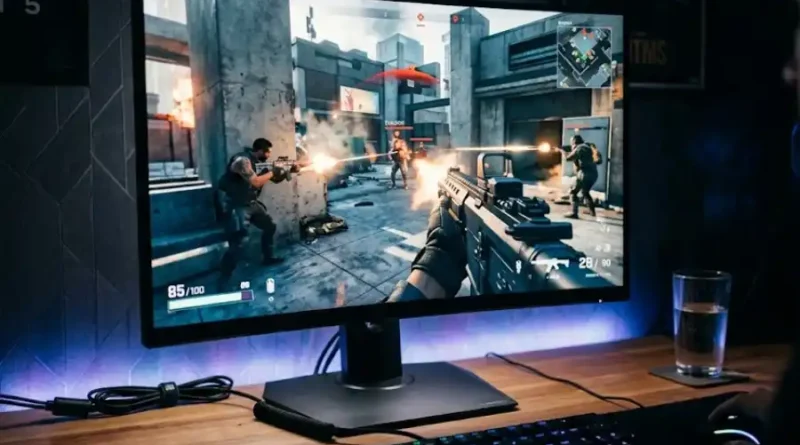
Gaming Monitor with High Refresh Rate: Which One Is Right for You?
You are playing your favorite shooting game. Your finger clicks. Your character fires. But on screen, the enemy already moved. You missed. And you are left wondering: was it my aim, or was it my monitor?
Millions of gamers face this exact problem. And for a huge number of them, the answer is simple: their monitor cannot keep up.
A gaming monitor with a high refresh rate can change all of that. It makes your screen faster, smoother, and more responsive. But not every gamer needs the same thing. And not every high refresh rate monitor is worth buying.
This article will help you understand what refresh rate really means, why it matters, and which one is right for you. No complicated tech talk. Just clear, direct answers.
What Is Refresh Rate? (Explained Simply)
Think of your screen like a flip-book. A flip-book shows many small pictures very fast, and your eyes see them as one smooth moving image.
Your monitor does the same thing. Refresh rate is how many times your screen shows a new image every second. It is measured in Hertz, or Hz.
- A 60Hz monitor shows 60 new images every second.
- A 144Hz monitor shows 144 new images every second.
- A 240Hz monitor shows 240 new images every second.
The higher the number, the smoother everything looks on your screen. Simple as that.
Why Does This Matter for Gaming?
In games, things move fast. Characters run. Bullets fly. The camera spins. A slow monitor cannot keep up with all this movement. So things look blurry or choppy, and your reactions feel slow even when your hands are fast.
A high refresh rate gaming monitor fixes all of this. Here is what it does for you:
- Less motion blur: Fast objects look sharper, not like a smeared mess.
- Less input lag: Your mouse click or button press shows up on screen faster.
- Smoother gameplay: The whole game feels more fluid and natural.
- No screen tearing: With the right settings, your screen stops looking like it is split in half during fast scenes.
These are not small upgrades. When you first play on a 144Hz monitor after using a 60Hz screen, the difference hits you immediately. It feels like taking off blurry glasses and putting on clear ones.
The Big Refresh Rate Numbers Explained
60Hz: The Old Standard
A 60Hz monitor was the norm for years. It is fine for watching movies, browsing the web, and playing slow-paced games. But for fast gaming today, it is simply not enough. You will notice blur, delay, and a general feeling that your game is running slow.
If you are gaming seriously in 2025, you should upgrade from 60Hz.
144Hz: The Sweet Spot for Most Gamers
This is where most gamers should start. The jump from 60Hz to 144Hz is massive. It is probably the biggest improvement you can make to your gaming experience without spending a fortune.
Good news: 144Hz gaming monitors are very affordable today. You can find excellent options for $150 to $250. And most mid-range graphics cards can push the frames needed to use a 144Hz monitor well.
If you play popular games like Fortnite, Call of Duty, Minecraft, or FIFA, a 144Hz monitor is a perfect match.
240Hz: For Serious and Competitive Gamers
The step from 144Hz to 240Hz is real, but smaller than the jump from 60Hz to 144Hz. Most everyday gamers will not feel a massive difference right away. But if you play competitive online games and you are chasing every possible advantage, 240Hz is worth it.
Here is the truth: 240Hz requires a powerful computer. Your graphics card needs to consistently push out 200 to 300 frames per second for you to feel the full benefit. If your PC cannot do that, a 240Hz monitor will not help you much at all.
360Hz, 480Hz, and Beyond: For the Elite Few
Refresh rates above 360Hz exist today. Some monitors go as high as 500Hz or 600Hz. These are built for professional esports players who compete at the highest level.
If you are a weekend gamer or a casual player, you do not need these. The improvement at this level is very small, and the price is very high. Save your money for something that helps you more.
Panel Type Matters Just as Much
Refresh rate is important, but the type of screen panel matters just as much. There are three main types you will see in gaming monitors:
- TN panels: These are fast and cheap. They were the top choice for competitive gaming for years. But colors look dull, and the image quality is not great from the sides.
- IPS panels: These have beautiful colors and great viewing angles. Modern IPS panels are also very fast. Most gamers today prefer IPS for the best balance of quality and speed.
- OLED panels: These are the best of the best right now. Colors are stunning, blacks are perfectly dark, and response times are incredibly fast. But they are expensive. Expect to pay $400 to $700 or more.
For most gamers, a high refresh rate IPS monitor is the smartest pick. It gives you great speed, great colors, and does not empty your wallet.
What Refresh Rate Should You Get?
Here is the straight answer based on who you are as a gamer:
- Casual or beginner gamer: Start with 144Hz. It will completely change how gaming feels for you.
- Regular gamer who enjoys multiplayer games: 144Hz to 165Hz is perfect. Most mid-range PCs can handle it well.
- Competitive gamer playing ranked online matches: Go for 240Hz if your PC can support it.
- Esports player or serious professional: 360Hz and above. You need every advantage you can get.
Mistakes Most Buyers Make
Here are real mistakes people make when buying a high refresh rate monitor. Avoid these:
- Buying a 240Hz monitor with a weak graphics card: If your GPU cannot push enough frames, that high refresh rate is wasted. Always check your graphics card first.
- Ignoring response time: Response time is measured in milliseconds (ms). It works hand in hand with refresh rate to reduce blur. Look for 1ms or lower for gaming.
- Forgetting about resolution: A 240Hz monitor at 1080p will look great if your PC handles it well. Picking a resolution your computer cannot support will hurt performance.
- Skipping adaptive sync: G-Sync (for Nvidia GPUs) and FreeSync (for AMD GPUs) prevent screen tearing. Always look for this feature when buying.
- Chasing numbers instead of balance: A 360Hz monitor with a bad panel is worse than a solid 165Hz IPS monitor. Do not just chase the highest number on the box.
Quick Checklist Before You Buy
Before you spend your money, go through this short list:
- Can your graphics card consistently hit frame rates close to your target refresh rate?
- Does the monitor have a low response time of 1ms or less?
- Does it support G-Sync or FreeSync?
- What panel type does it use? (IPS or OLED recommended for most gamers)
- Does the resolution match what your PC can comfortably handle?
If you can check all five boxes, you are in great shape.
The best gaming monitor is not the most expensive one. It is the one that matches your game, your graphics card, and your budget. Buy smart, not the fastest thing on the shelf.
Frequently Asked Questions
Can a high refresh rate monitor make me a better gamer?
It gives you better tools, not better skills. A high refresh rate monitor reduces blur, speeds up your screen response, and shows you the game more clearly. But practice and experience still matter most. Think of it like a sharp pair of glasses. The glasses help you see better, but they do not play the game for you.
Does my console benefit from a high refresh rate monitor?
Yes, but with some limits. The PlayStation 5 and Xbox Series X support up to 120Hz in many games. So a 144Hz monitor will make a real difference on modern consoles. Going above 144Hz will not benefit you much for console gaming, though, since consoles cannot push that many frames per second.
Is 144Hz still good enough in 2025?
Absolutely. For the vast majority of gamers, 144Hz is more than enough. It is smooth, fast, responsive, and affordable. Unless you are playing at a competitive or professional level, 144Hz will serve you extremely well for years to come.
What is screen tearing and how does a high refresh rate help?
Screen tearing happens when your graphics card sends frames to your monitor faster than the monitor can display them. The result looks like the image is cut in half or split horizontally. A high refresh rate monitor combined with adaptive sync technology like G-Sync or FreeSync solves this problem completely.
Do I need to spend a lot of money to get a good high refresh rate gaming monitor?
Not at all. Great 144Hz IPS gaming monitors are available for well under $200. You only need to spend big money if you want the absolute fastest panels like 360Hz OLED. For most people, a $150 to $250 budget covers an excellent gaming monitor with everything you need.
What is the difference between refresh rate and response time?
These two things work together but are not the same. Refresh rate is how often your screen updates the image per second. Response time is how fast each pixel changes from one color to another. For a smooth, blur-free gaming experience, you want both a high refresh rate and a low response time. The best gaming monitors deliver both.
Final Thoughts
A gaming monitor with a high refresh rate is one of the best upgrades you can make as a gamer. The jump from a 60Hz screen to 144Hz is something you will feel the moment you start playing. And once you experience it, going back feels almost impossible.
You do not need to spend thousands of dollars to enjoy smooth, fast gaming. Start with 144Hz, make sure your PC can support it, and look for a good IPS panel with a fast response time. That combination alone will change how gaming feels for you every single day.
Know what you need, match it to your budget, and enjoy every frame of it.