Computer Games Free Download: Get Great Games Without Spending a Cent (2026)
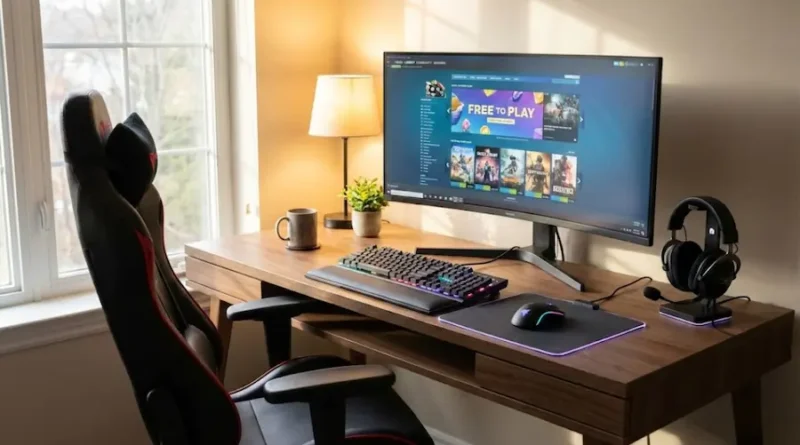
Look, I get it. You’re sitting there, staring at Steam’s front page, seeing all these cool games with their $60 price tags, and thinking, “There’s got to be a better way.”
Good news? There absolutely is.
I’ve spent years downloading free PC games, and I’ve learned exactly where to find the best ones without risking my computer or wasting hours on sketchy websites. Today, I’m sharing everything I know so you can start playing awesome games right now without spending a single dollar.
Why This Guide Is Different
Most articles just throw a list of websites at you and call it a day. But that doesn’t help when you’re staring at a download button wondering, “Is this safe? Will this mess up my computer? Is this even legal?”
I’m going to answer all those questions and more. By the time you finish reading this, you’ll know exactly where to go, what to click, and how to stay safe while building a great game collection for free.
The Big Question Everyone Has: Is Downloading Free Games Really Safe?
Let me be straight with you. Some sites are 100% safe. Others? Not so much.
The truth is simple: The safest free games come from official stores run by big gaming companies. These places have teams of people checking every single file to make sure nothing dangerous gets through. Think of them like the app store on your phone, just for PC games.
The risky sites? Those are the ones promising “free downloads” of expensive games like Call of Duty or FIFA. If something normally costs $60 and someone’s offering it for free, that’s a huge red flag. You’re either getting a virus, breaking the law, or both.
Where to Download Free Computer Games (The Safe Way)
Let me walk you through the best places to get free games. I use all of these myself, and I’ve never had a single problem.
Steam: The Giant Everyone Knows
Steam is probably the biggest name in PC gaming, and for good reason. They have over 5,000 completely free games you can download right now.
What makes Steam so good:
When you download a game from Steam, it’s sitting on your computer forever. Nobody can take it away. Plus, all your games stay in one place, so you don’t have folders scattered everywhere.
The free section has everything. Big multiplayer games like Dota 2 where millions of people play. Story games. Puzzle games. Weird experimental stuff you’ve never heard of. If you can think of it, Steam probably has it.
How to get started: Just go to Steam’s platform, download their app, make a free account, and you’re done. Search for “free to play” and start downloading. It’s that simple.
Epic Games Store: Free Premium Games Every Single Week
This is my personal favorite, and I’ll tell you why.
Every Thursday, Epic Games gives away one or two games completely free. And I’m not talking about small indie games nobody’s heard of. They’ve given away huge titles worth $30, $40, even $60 for absolutely nothing.
The catch? You have to claim them during that week. If you miss it, it’s gone. But once you claim it, it’s yours forever.
I’ve gotten games like Control, Subnautica, and Grand Theft Auto V completely free from Epic. That’s easily over $150 worth of games I didn’t pay a cent for.
Pro tip: Download the Epic Games app and turn on notifications. That way, you’ll never miss a free game again.
GOG: Perfect for Classic Games
GOG stands for “Good Old Games,” and that tells you everything you need to know.
They specialize in older classic games that you remember from childhood, all updated to work on modern computers. And they have a whole section of completely free games.
What makes GOG special is something called “DRM-free.” That basically means once you download a game, you truly own it. You can copy it, back it up, whatever you want. No company can ever take it away or tell you that you can’t play it anymore.
If you love retro games or want to try classics you missed, GOG is your best friend.
Microsoft Store: Built Right Into Windows
If you’re using Windows 10 or 11, you already have access to this.
The Microsoft Store has a ton of free games, especially if you’re into mobile-style games or family-friendly stuff. They’re all safe because Microsoft checks every single one before adding it.
Bonus: Many of these games also work on Xbox, so if you have both a computer and an Xbox, you can play on either one.
Itch.io: Weird, Creative, and Totally Unique
This is where the really interesting stuff lives.
Itch.io is where independent game creators share their work. You’ll find games on this site that you literally can’t get anywhere else. Weird art games, creative puzzle games, story experiments, and all kinds of wild stuff.
Many creators let you “pay what you want,” meaning you can download for free or throw them a few bucks if you like their work. Some games are completely free with no strings attached.
If you’re tired of the same old games and want something different, spend an hour browsing Itch.io. You’ll find things that’ll blow your mind.
Understanding the Different Types of Free Games
Not all “free” games are the same. Let me explain the difference so you know what you’re getting into.
Completely Free Forever
These games cost absolutely nothing and never will. Once you download them, they’re yours. No tricks, no hidden costs, nothing. Steam has thousands of these. They’re usually smaller games made by independent creators who just want people to play their work.
Free-to-Play Games
These are free to download and play, but they make money by selling extra stuff inside the game. Think Fortnite. You can play the entire game without paying, but you can buy costumes, weapons skins, and other extras if you want.
Are they worth it? Absolutely. Some of the biggest games in the world are free-to-play. Just don’t feel pressured to buy anything. You can have tons of fun without spending a cent.
Free for a Limited Time
This is what Epic Games does every week. They take a game that normally costs money and make it free for a few days. Grab it during that window, and it’s yours forever.
These are pure gold. You’re getting full premium games for free if you pay attention and claim them on time.
How to Download Games Safely: A Step-by-Step Guide
Let me walk you through this like I’m sitting next to you.
Step 1: Pick Your Platform
Choose one of the safe sites I mentioned above. For beginners, I recommend starting with Steam or Epic Games. They’re the easiest.
Step 2: Create an Account
You’ll need an email address. That’s it. No credit card required for free games.
Step 3: Download Their App
Steam and Epic both have their own apps that organize all your games. Download it, install it, and log in.
Step 4: Find Free Games
Look for the “Free” or “Free to Play” section. On Epic, there’s a whole page dedicated to their weekly free games.
Step 5: Hit Download
Click the download button and wait. The app will handle everything automatically.
Step 6: Play
Once it’s done, click “Play” and you’re in. Simple as that.
Common Mistakes People Make (And How to Avoid Them)
I’ve made every mistake in the book, so let me save you the trouble.
Mistake 1: Downloading from Sketchy Sites
If a website has tons of pop-up ads, looks like it was made in 2005, or promises “free downloads” of expensive new games, run away. Stick to the official platforms I listed.
Mistake 2: Ignoring System Requirements
Every game lists what kind of computer you need to run it. If your computer doesn’t meet those requirements, the game won’t work well or at all. Always check before downloading.
Mistake 3: Not Claiming Free Games Fast Enough
Epic’s free games are only available for about a week. I can’t tell you how many times I’ve thought, “I’ll grab that later” and then completely forgot. Set a reminder or turn on notifications.
Mistake 4: Giving Up After One Bad Experience
Maybe you downloaded a game and didn’t like it. That’s fine. There are literally thousands of free games out there. Try another one. Try ten more. Eventually, you’ll find something you love.
What Games Should You Download First?
This depends on what you like, but I have some solid recommendations for different types of players.
If You Love Action: Try Apex Legends or Warframe. Both are completely free, super polished, and have massive communities.
If You Want a Good Story: Check Epic’s weekly free games. They regularly give away story-driven adventures that’ll hook you for hours.
If You Like Strategy: Age of Empires Online is free now, and it’s still as good as ever.
If You’re Into Sports: Rocket League is free and it’s basically soccer with flying cars. Sounds weird, works perfectly.
If You Want Something Relaxing: Stardew Valley sometimes shows up free on Epic, but even when it doesn’t, there are tons of free farming and crafting games on Itch.io.
Staying Safe While Gaming
Beyond just downloading safely, I have some tips to protect yourself while gaming.
Use Strong Passwords
Make your gaming accounts secure. Use a unique password for each platform. If someone hacks one account, you don’t want them getting into all of them.
Enable Two-Factor Authentication
Steam, Epic, and most major platforms let you add extra security to your account. Turn this on. It takes 30 seconds and makes your account way harder to hack.
Be Careful with Free Game “Hacks”
If someone promises you free in-game currency, special cheats, or ways to “hack” free-to-play games, don’t trust them. They’re either scams or will get your account banned.
Don’t Share Account Details
Nobody legitimate will ever ask for your password. Not customer support, not other players, nobody. If someone asks, it’s a scam.
Making the Most of Your Free Games
Just because games are free doesn’t mean you can’t get serious enjoyment out of them.
Join Communities
Most free games have Reddit communities, Discord servers, or official forums. Join them. You’ll learn tips, find people to play with, and have way more fun.
Watch Guides
If you’re stuck or want to get better, YouTube has guides for basically every game ever made. Don’t struggle alone. Watch someone who knows what they’re doing.
Try Different Genres
Since these games cost nothing, this is your chance to experiment. Always played shooters? Try a strategy game. Only like single-player? Give a multiplayer game a shot. You might find something you love.
What About Game Quality?
Something nobody tells you: Some free games are better than expensive ones.
Dota 2 is free and has tournaments with million-dollar prizes. Fortnite is free and is one of the most popular games on Earth. Warframe is free and has more content than most $60 games.
The idea that “free means bad” is outdated. Game companies have figured out that if they make a really good free game, people will stick around and some will buy extra stuff. That means they put real effort into making these games good.
Will every free game blow your mind? No. But plenty of them will.
Building Your Game Library Over Time
I have a strategy for building an incredible collection without spending money.
Week 1: Grab whatever’s free on Epic Games. Doesn’t matter if it looks interesting. Claim it. You might want it later.
Week 2: Download Steam and grab 3-5 free-to-play games in genres you like.
Week 3: Check out GOG’s free section and grab any classics that look cool.
Week 4: Browse Itch.io for an hour and download anything that catches your eye.
Do this for a few months and you’ll have dozens of games to choose from. All free. All legal. All completely safe.
The Bottom Line
Downloading free computer games doesn’t have to be complicated or risky.
Stick to the major platforms I listed. Don’t trust sketchy websites. Check system requirements before downloading. Claim free games when they’re available. And most importantly, have fun.
You don’t need to spend hundreds of dollars to have a great gaming experience. The free games available today are better than ever, and there are more of them than you could play in a lifetime.
So what are you waiting for? Pick a platform, make an account, and start downloading. Your next favorite game is out there, and it’s not going to cost you anything.
Happy gaming!