What is a Web Server and How Does It Work?
Have you ever wondered what happens when you type “google.com” and hit enter? Or how your favorite website shows up on your screen in just seconds?
The answer is simple: a web server makes it all happen.
But here’s the thing, most people think web servers are complicated, technical things that only experts understand. That’s not true at all. In fact, once you get the basic idea, you’ll realize web servers are straightforward.
Let me explain it in a way that makes perfect sense.
What is Web Server?
Think of a web server like a restaurant kitchen.
When you go to a restaurant, you don’t walk into the kitchen and make your own food, right? Instead, you sit at a table, look at the menu, and order what you want. The kitchen gets your order, prepares your food, and a waiter brings it to your table.
A web server works the same way:
- You (the customer) = Your web browser (Chrome, Safari, Firefox)
- The menu = The website address (URL) you type
- The kitchen = The web server
- Your food = The website pages, images, and videos
- The waiter = The internet connection
When you type a website address and press enter, your browser is basically saying, “Hey web server, I’d like to see this website, please!” The web server then finds the right files and sends them back to you. Your browser puts everything together, and boom, you see the website.
That’s it. That’s what a web server does.
Breaking it Down: Hardware vs Software
People often get confused here. When someone says “web server,” they could mean two different things:
1. The Physical Computer (Hardware)
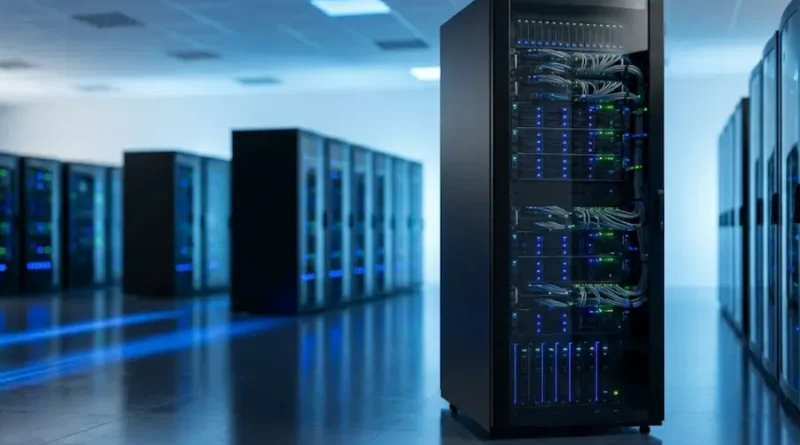
This is the actual machine, a powerful computer that stores website files. It’s usually sitting in a big building called a data center, running 24 hours a day, 7 days a week. These computers are built to handle thousands of requests every second without breaking down.
2. The Special Program (Software)
This is the software running on that computer. It’s like the brain that decides what to do when someone asks for a website. Popular web server software includes Apache, Nginx, and Microsoft IIS.
Most of the time, when people talk about web servers, they mean both, the physical computer and the software working together.
How Does a Web Server Work?
Let me walk you through what happens in simple steps:
Step 1: You Type a Website Address
Let’s say you type “www.example.com” in your browser and hit enter.
Step 2: Your Request Travels
Your computer sends a request through the internet saying, “I want to see example.com!”
Step 3: The Web Server Gets Your Request
The web server receives your request. It’s like someone knocking on a door.
Step 4: The Server Finds What You Need
The web server looks through its files to find the website you asked for. This includes HTML files (the skeleton), CSS files (the design), images, videos, and more. The server uses something called HTTP (Hypertext Transfer Protocol) to communicate with your browser.
Step 5: The Server Sends Everything Back
Once it finds everything, the web server sends all those files back to your browser through the internet.
Step 6: Your Browser Shows the Website
Your browser receives all the files and puts them together like a puzzle. Now you see the website on your screen.
All of this happens in less than a second. Amazing, right?
Different Types of Web Servers
Not all web servers are the same. The main types you should know about:
Static Web Server
This is the simplest kind. It sends files exactly as they are stored. If you ask for a page, it gives you that page, no changes, no customization. Think of it like a vending machine: you press a button, you get exactly what’s in that slot.
Example: A simple blog or portfolio website where the content doesn’t change based on who’s visiting.
Smart Web Server
This type is smarter. It can change what it sends you based on different things, like who you are, what time it is, or what you’re looking for.
Example: When you log into Facebook, you see YOUR posts and friends, not someone else’s. The server creates a custom page just for you.
Dedicated Server
This is like having your own private restaurant. One web server handles only your website and nothing else. It’s more expensive but gives you complete control and better performance.
Best for: Big companies, popular websites with lots of visitors.
Shared Server
This is like sharing a restaurant kitchen with other people. Many websites share the same web server to save money. It’s cheaper but can be slower if other sites use too many resources.
Best for: Small businesses, personal blogs, new websites.
Cloud Servers
Instead of one physical computer, your website is spread across many computers in different locations. If one fails, another takes over. It’s like having backup restaurants ready to serve your customers.
Best for: Websites that need to stay online 24/7 and can handle sudden traffic spikes.
Common Myths About Web Servers (Let’s Clear These Up!)
Myth 1: “You Need to Be a Computer Expert to Understand Web Servers”
Truth: Not at all! Sure, setting up and managing a web server requires some know-how, but understanding what it does is simple. You just learned it in a few minutes!
Myth 2: “Web Servers and Web Hosting Are the Same Thing”
Truth: They’re related but different. A web server is the computer and software. Web hosting is the service where you rent space on someone else’s web server to put your website online.
Think of it this way: A web server is like an apartment building, and web hosting is renting an apartment in that building.
Myth 3: “Bigger Web Servers Are Always Better”
Truth: Not really. What matters is choosing the right server for your needs. A small blog doesn’t need a massive server. It’s like buying a bus when you only need to drive yourself to work, it’s overkill!
Myth 4: “All Web Servers Are Located Far Away”
Truth: While many are in data centers, web servers can be anywhere. Some companies even have their own web servers in their office building. And with cloud technology, your website might be served from multiple locations at once.
Why Should You Care About Web Servers?
You might be thinking, “Okay, I get it now, but why does this matter to me?”
The answer:
If You’re Building a Website:
Understanding web servers helps you make better choices. You’ll know what type of hosting to buy, what features you need, and how to solve problems when they come up.
If You Use Websites Daily:
Knowing how web servers work helps you understand why some websites load fast and others are slow. It also helps you spot fake websites and stay safe online.
If You’re Curious About Technology:
Web servers are the backbone of the internet. Understanding them gives you insight into how the whole internet works.
What Makes a Good Web Server?
Not all web servers perform the same. What separates good ones from bad ones:
Speed: A good web server responds quickly. Nobody wants to wait 10 seconds for a website to load.
Reliability: It should work 24/7 without crashing. Downtime means your website disappears.
Security: It should protect against hackers and keep your data safe.
Growth-Ready: As your website grows and gets more visitors, your web server should handle the extra traffic.
Support: When something goes wrong (and it will), you need good support to fix it fast.
Example: What Happens When You Visit Amazon
Let’s see web servers in action with an example:
- You type “amazon.com” in your browser
- Your request goes to Amazon’s web servers (they have thousands of them!)
- The server checks: Are you logged in? What’s your location? What did you search for before?
- Based on this info, it creates a custom homepage just for you
- It sends back product recommendations, your shopping cart, and personalized deals
- All of this happens in under a second
- As you click around, the web server keeps responding to your every action
This is smart web serving at its finest, millions of people using Amazon at the same time, each getting their own personalized experience.
Quick Tips for Choosing Web Hosting (Which Includes a Web Server)
If you’re planning to create a website, some useful tips:
For a Personal Blog or Small Website:
- Shared hosting is fine and affordable
- Look for providers like Bluehost, HostGator, or SiteGround
- You don’t need fancy features yet
For a Business Website:
- Consider VPS (Virtual Private Server) for better performance
- Make sure they offer good security features
- Choose a provider with 24/7 customer support
For a High-Traffic Website:
- Go for dedicated or cloud hosting
- Invest in a Content Delivery Network (CDN)
- Regular backups are essential
Red Flags to Avoid:
- Hosting that’s too cheap (often means poor quality)
- No customer reviews or lots of negative reviews
- Unclear terms about storage, bandwidth, and uptime
What’s Coming Next for Web Servers
Technology keeps evolving, and web servers are getting better every year:
Edge Computing: Instead of all web servers being in one location, they’re spreading closer to users. This makes websites load even faster.
Green Servers: Companies are building eco-friendly data centers that use less energy and help the environment.
AI Integration: Web servers are getting smarter, using artificial intelligence to predict what users need and load content faster.
Better Security: As hackers get smarter, web servers are adding stronger protection to keep websites and users safe.
Final Thoughts
So, what is a web server? It’s simply a computer with special software that stores website files and sends them to your browser when you ask for them. That’s the core idea.
Everything else, the different types, the details, the features, builds on that basic concept.
The next time someone asks you what a web server is, you can confidently explain it. Better yet, you can help them understand it using the restaurant analogy. It makes everything click!
Remember: The internet might seem like magic, but it’s really just millions of web servers working together, responding to billions of requests every single day. And now you know exactly how they do it.
The World Wide Web Consortium sets the standards that make all of this possible, ensuring websites work smoothly across different browsers and devices.
Cool, right?
Got Questions?
If you’re planning to build a website or want to learn more about web hosting, start by researching hosting providers and reading user reviews. Understanding web servers is your first step toward learning how the internet really works.
And who knows? Maybe one day you’ll be the one managing a web server and making websites come alive for millions of users around the world.
The internet is waiting for you!