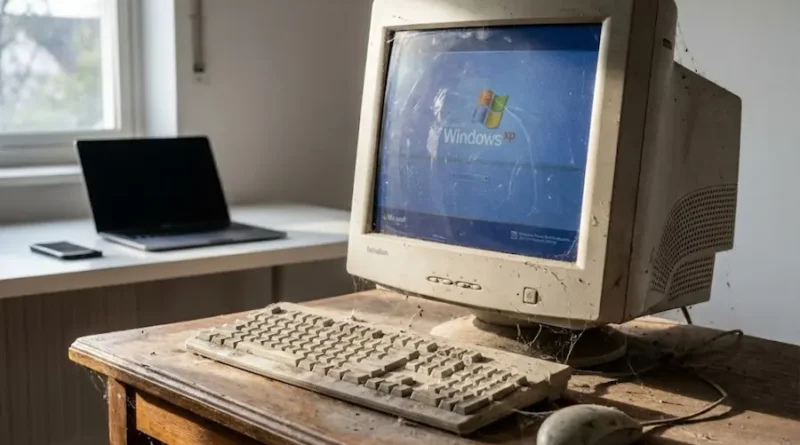
Old Technology Is Putting Your Data at Risk (And You Might Not Even Know It)
Picture this: You’ve got an old phone sitting in your drawer. It still works, right? You can make calls, send texts, maybe even play a few games. But here’s the thing: that phone is like a house with broken locks and open windows. Anyone who knows where to look can just walk right in.
That’s what happens with old technology in businesses and homes. And it’s becoming one of the biggest security headaches we face today.
What Does “Technological Obsolescence” Mean?
Let’s break this down in simple words. When your computer, software, or any tech tool gets too old and nobody supports it anymore, we call it “obsolete.” It’s like having a car that the company stopped making parts for.
When Microsoft says “we’re done with Windows 7,” they’re not being mean. They’re telling you that they won’t fix any new problems that pop up. No security patches. No bug fixes. Nothing. (You can check when your Windows version loses support on Microsoft’s support page.)
And that’s where the danger begins.
Why Old Tech Is a Hacker’s Best Friend
Think about it this way. Imagine you’re a thief looking for houses to rob. Would you pick the one with cameras, alarms, and strong locks? Or would you choose the house with a broken door lock that hasn’t been fixed in five years?
Hackers think the same way.
Old technology is full of security holes. These are like cracks in a wall that get bigger over time. When companies stop updating their software, these cracks never get fixed. Hackers know this. They hunt for companies still using old systems because it’s easier to break in.
Here’s a scary fact: In 2024, hackers broke into water treatment systems in several U.S. cities. How? They used old control systems that hadn’t been updated. Some of these systems still had default passwords like “admin” or “1234.” It’s like leaving your front door key under the welcome mat. (The government’s cybersecurity agency tracks these threats and shares warnings to help protect critical systems.)
Stories That Should Worry You
Let me share some examples that happened recently:
The Hospital Nightmare In 2024, a major healthcare company got hit by hackers. They lost data on 100 million patients. Why? Part of their system was running on old software that didn’t get security updates anymore. The hackers walked right through that weak spot.
The Water Crisis In Texas, hackers from Russia broke into the water system of a small town. They made water tanks overflow and spill thousands of gallons. The problem? The town was using old equipment that anyone could access with basic passwords.
The Printer Problem Here’s something wild: security experts once hacked into 27,944 printers around the planet. Just to prove a point. Over half of the printers they tried to hack worked on the first try. Why? These printers were old, outdated, and had zero protection.
The Hidden Dangers You Don’t See
Old technology creates problems you might not even think about:
No More Updates When Windows 7 stopped getting updates in 2020, millions of computers suddenly became sitting ducks. Every new virus, every new hacking trick, every new threat: none of these got fixed on Windows 7 machines. It’s like your immune system just stopped working.
Everything’s Connected Your old printer might seem harmless. But if a hacker gets into your printer, they can use it to jump into your entire network. They can steal files, read emails, and grab passwords. One weak link breaks the whole chain.
Compliance Nightmares If you run a business that handles credit cards or medical records, using old tech can get you in serious legal trouble. Rules like PCI DSS say you must use supported technology. Break this rule? You could face huge fines or even go to jail.
The Cost Keeps Growing Sure, keeping that old system running seems cheaper than buying new equipment. But when hackers break in through that old system? The average cost of a data breach in 2024 was almost $5 million. Plus your reputation takes a hit that money can’t fix.
Why This Keeps Happening
You might wonder: if old tech is so dangerous, why do people keep using it?
Here are the honest reasons:
“If It Ain’t Broke…” Many people think “well, it still works, so why change it?” But working and being secure are two different things. Your old system might run fine, but it’s like a car with no airbags. It works until it doesn’t.
Budget Problems Upgrading costs money upfront. Small businesses especially struggle with this. They think “we’ll do it next year.” But next year turns into two years, then five years, and suddenly they’re way behind.
“We’ll Deal With It Later” IT teams know they need to upgrade. But they’re busy with a million other things. Security updates get pushed to the bottom of the to-do list until something bad happens.
Nobody’s Paying Attention In big companies, the person who gets the “end of support” email isn’t always the person who can do something about it. The message gets lost. The system stays old. The danger grows.
How to Protect Yourself (The Smart Way)
Don’t panic! You can fix this. Here’s what works:
Know What You Have Make a list of all your tech. Every computer, every piece of software, every app. When was it made? When does support end? You can’t fix what you don’t know about.
Make a Plan Once you know what’s old, create a schedule to replace it. Don’t try to do everything at once. Start with the most important stuff first.
Keep Things Updated Turn on automatic updates whenever possible. These little updates fix security holes before hackers can use them. It’s like getting your house locks upgraded regularly.
Use Multiple Locks Add extra security layers. Use two-factor authentication (where you need a password AND a code from your phone). This way, even if one lock breaks, you’ve got backup protection.
Train Your Team The best security system fails if someone clicks a bad link. Teach your employees (or family) how to spot scams and suspicious emails. Knowledge is your first line of defense.
Have a Backup Plan When (not if) something goes wrong, you need backups of your important data. Keep copies in different places. Test them regularly to make sure they work.
What You Need to Remember
Old technology isn’t just slow or annoying. It’s dangerous. Every day you use unsupported software, you’re giving hackers an easier path to your information.
Think of it like this: would you keep using a bike with broken brakes? Probably not. So why would you keep using a computer system with broken security?
The good news? You’re reading this, which means you’re already ahead of most people. You know the problem exists. Now you just need to take action.
Start small. Check what’s running on your main computer right now. Is it up to date? If not, that’s your first step. Update it today.
Your future self (and your bank account) will thank you.
Steps You Can Take Today
- Check your computer’s operating system. Is it still supported?
- Look at your phone. When did you last update it?
- Change any default passwords on your router, printers, or smart devices
- Set up automatic updates on all your devices
- Make a backup of your important files (right now, seriously)
Remember: hackers count on you putting this off. Don’t give them that advantage.
Stay safe out there.