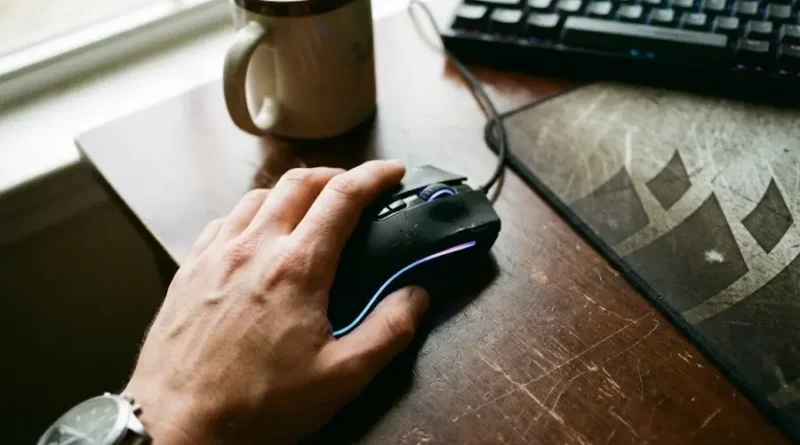
How to Choose a Gaming Mouse (That Won’t Hurt Your Hand or Your Wallet)
So you want to buy a gaming mouse, but you’re staring at hundreds of options and feeling totally lost? Yeah, I’ve been there. Trust me, picking the right gaming mouse doesn’t have to be confusing.
The truth is this: a good gaming mouse can actually make you play better. I’m not talking about magic, just simple comfort and control. When your mouse fits your hand perfectly and moves exactly how you want, those headshots get easier. Your reaction time improves. Games become more fun.
But there’s a problem. Most article throw fancy words at you like “26,000 DPI” and “8000Hz polling rate” without explaining what any of it means. Then you end up buying an expensive mouse that hurts your hand after 20 minutes.
This article is different. I’m going to explain everything in super simple words, like I’m talking to my younger brother. By the end, you’ll know which gaming mouse to buy for YOUR needs.
What Makes Gaming Mice Special?
Before we jump in, let’s answer the big question: why not just use a regular mouse?
Gaming mice are built differently. They have:
- Better sensors that track movement more accurately
- Buttons that click faster and last longer
- Shapes designed for long gaming sessions
- Extra buttons you can program for your favorite games
- Lighter weight for quicker movements
Think of it like this. You can play basketball in regular shoes, but basketball shoes help you play better. Same thing with gaming mice.
Understanding Your Grip Style (Super Important!)
This is the first thing you need to figure out. How do you naturally hold your mouse?
There are three main ways people grip a mouse, and choosing the wrong mouse for your grip is the #1 mistake beginners make.
Palm Grip: The Relaxed Way
Your whole hand rests on the mouse. Your palm touches the back, and your fingers lie pretty flat on the buttons.
What it’s good for: Comfort during long gaming sessions. Great for precision in games like sniping in shooters or playing strategy games where you don’t need super-fast movements.
Best mouse type: Bigger mice with high backs that support your whole hand. Look for ergonomic shapes (mice that curve to fit your hand naturally).
Who uses it: Most people naturally use this grip. If you’re unsure, this is probably you.
Claw Grip: The Balanced Way
Your palm rests lightly on the back of the mouse, but your fingers are arched up like a claw. Only your fingertips touch the buttons.
What it’s good for: A mix of speed and control. Perfect for games like Counter-Strike, Valorant, or League of Legends where you need quick reactions AND good aim.
Best mouse type: Medium-sized mice with a good “hump” in the back. Not too long, not too short.
Who uses it: Competitive players who want the best of both worlds.
Fingertip Grip: The Speed Demon
Only your fingertips touch the mouse. Your palm doesn’t touch the mouse at all. It just floats in the air.
What it’s good for: Lightning-fast movements and tiny adjustments. Best for super competitive shooters.
Best mouse type: Small, flat, lightweight mice. The lighter, the better.
Who uses it: Serious players who prioritize speed over everything else. This grip can be tiring if you’re not used to it.
How to figure out your grip: Just use your current mouse normally for a few minutes. Look down. Is your whole palm touching? Just the back? Or nothing at all? That’s your natural grip.
Mouse Weight: Light vs Heavy
This is where things get interesting. Mouse weight is a big deal in gaming.
Lightweight mice (30 to 60 grams) are super popular right now. They’re easier to move quickly, which means faster reactions in games. If you play fast shooters like Apex Legends or Fortnite, lighter is usually better.
The Corsair Sabre V2 Pro weighs just 36 grams. That’s crazy light! Many pro players are switching to ultra-light mice because they can aim faster.
Heavier mice (80 to 120 grams) give you more control. Some people feel like lightweight mice are too “floaty” and hard to control precisely. If you prefer slow, careful movements or play strategy games, a heavier mouse might feel better.
My advice: If you’re not sure, start with something in the middle (around 60 to 70 grams). You can always try lighter or heavier later.
What is DPI? (Explained Simply)
DPI stands for “Dots Per Inch.” I know, sounds complicated. But it’s really super simple.
DPI controls how fast your cursor moves on the screen when you move your mouse.
Low DPI (400 to 800): You have to move your mouse a LOT to move the cursor across your screen. This gives you really precise control. Most pro FPS players use low DPI.
High DPI (1600 to 3200): You barely move your mouse and the cursor flies across the screen. Good for quick movements.
Super High DPI (10,000+): Honestly? Most people never use this. It’s mostly a marketing thing. Your cursor would be so sensitive that the smallest movement would send it flying.
What you need to know:
- For shooters: Most pros use 400 to 800 DPI
- For MOBAs (League, Dota): 1200 to 1600 DPI works great
- For general gaming: 800 to 1600 is perfect
The best gaming mice let you change DPI with a button, so you can switch between slow (for sniping) and fast (for quick turns) during the game.
Important: Higher DPI doesn’t mean better! It’s all about what feels comfortable to YOU.
Wired vs Wireless: Which is Better?
Old advice used to say “always buy wired.” But in 2025, that’s outdated.
Wireless mice have gotten so good that even pro esports players use them now. The Razer Viper V3 Pro and Logitech G Pro X Superlight 2 are wireless, and they’re used in professional tournaments.
Benefits of wireless:
- No cable getting tangled or caught on your desk
- More freedom to move
- Cleaner setup
Downsides of wireless:
- More expensive
- You have to charge them (though most last 40 to 150 hours)
- Slightly heavier because of the battery
Benefits of wired:
- Cheaper
- Never need charging
- Usually lighter
Downsides of wired:
- Cable can drag or get caught
- Can feel restrictive
My recommendation: If you can afford wireless, go for it. Modern wireless gaming mice have zero delay. But if you’re on a budget, wired mice work perfectly fine.
Sensor Quality: Why It Matters
The sensor is the mouse’s “eye.” It tracks how you move the mouse and tells your computer.
Good news: Almost all gaming mice in 2025 have excellent sensors. Even budget mice have great tracking now.
What to look for:
- Optical sensors are the standard. They work on most surfaces and are super reliable.
- Avoid mice with low maximum speed ratings. Look for at least 400 IPS (inches per second).
Top sensors right now include:
- PixArt PAW3395 (found in many high-end mice)
- Razer Focus Pro 35K
- Logitech HERO 2
But honestly? Unless you’re a professional player, you won’t notice much difference between a good sensor and a great sensor.
Extra Buttons: How Many Do You Need?
This depends on what games you play.
FPS games (Call of Duty, Valorant, CS:GO): You only need 2 side buttons, maybe 3. More buttons just get in the way.
MMO games (World of Warcraft, Final Fantasy XIV): You want LOTS of buttons. Some mice have 12+ buttons on the side so you can quickly use abilities without touching your keyboard. The Corsair Scimitar Elite is perfect for this.
MOBA games (League of Legends, Dota 2): 2 to 6 side buttons is plenty.
General gaming: 2 side buttons is the sweet spot for most people.
Pro tip: Don’t buy a mouse with 20 buttons if you only play shooters. You’ll never use them, and they’ll just make the mouse heavier and more confusing.
Shape and Size: Finding Your Perfect Fit
This is HUGE. A mouse that doesn’t fit your hand will hurt after an hour.
Measure your hand: Put your hand flat and measure from the base of your palm (the wrist crease) to the tip of your middle finger. If you want to get really precise about finding the perfect fit, Logitech has a helpful sizing guide that shows you exactly how to measure.
- Small hands (under 17cm): Look for smaller mice or ones labeled “medium size”
- Medium hands (17 to 19cm): Most mice will work for you
- Large hands (over 19cm): You need bigger mice with tall backs
Also consider:
- Ergonomic mice (shaped for right or left hand): More comfortable but only work for one hand
- Symmetrical mice (same on both sides): Work for lefties and righties
Try before you buy if possible. Visit a store and hold different mice. Does it feel natural? Does your hand relax or feel cramped?
Battery Life (For Wireless Mice)
If you’re going wireless, check how long the battery lasts.
Good battery life: 60+ hours Great battery life: 100+ hours Excellent: 150+ hours
The Razer DeathAdder V4 Pro gets 150 hours. That’s over 6 days of non-stop gaming!
Most gaming mice charge via USB-C now, which is convenient. Some even let you use them while charging.
Build Quality: Will It Last?
Gaming mice take a beating. You’re clicking thousands of times per gaming session.
Look for:
- Good switches: Omron switches are popular and rated for 50 to 80 million clicks
- Solid build: The mouse shouldn’t feel creaky or cheap when you squeeze it
- Good feet: The pads on the bottom should be smooth. Look for PTFE or Teflon feet
Check reviews for complaints about double-clicking (when one click registers as two). That’s a sign of bad switches.
RGB Lighting: Do You Need It?
RGB lights look cool but:
- They drain battery on wireless mice
- They add a tiny bit of weight
- They don’t improve performance at all
If you love the aesthetic, go for it! But if you want the absolute lightest, fastest mouse, skip the RGB.
Software: Easy or Complicated?
Most gaming mice come with software that lets you:
- Change DPI settings
- Program buttons
- Adjust lighting
- Save different profiles for different games
Good software: Logitech G Hub, Razer Synapse (both are easy to use)
Annoying software: Some cheap brands have buggy software that crashes or is hard to figure out
Read reviews about the software before buying. Bad software can ruin a good mouse.
Budget Guide: What to Spend
Budget ($30 to $50):
- Logitech G305: Wireless, great sensor, super reliable
- SteelSeries Rival 3: Wired, comfortable, good for beginners
Mid-Range ($50 to $100):
- Razer DeathAdder V3: Excellent all-rounder
- Corsair Sabre V2 Pro: Super light, great for FPS
Premium ($100 to $170):
- Razer Viper V3 Pro: Best mouse you can get right now
- Logitech G Pro X Superlight 2: Pro favorite, ultra-light
MMO Specialized ($130+):
- Corsair Scimitar Elite: 12 side buttons for MMOs
My honest take: You don’t need to spend $150 to get a great gaming mouse. The $50 to $80 range has fantastic options that will serve you well for years.
Common Mistakes to Avoid
- Buying based on DPI alone: A mouse with “26,000 DPI!” isn’t automatically better. Comfort and shape matter way more.
- Ignoring your grip style: This is the biggest mistake. Don’t buy a huge mouse if you use fingertip grip!
- Copying pro players blindly: Pros often use specific mice because they’re sponsored. What works for them might not work for you.
- Buying too many buttons: If you don’t play MMOs, you don’t need 12 side buttons.
- Forgetting about your mouse pad: Even the best mouse won’t work well on a tiny, worn-out mouse pad. Invest in a decent-sized pad.
How to Test Your New Mouse
Got your mouse? Setting it up the right way matters:
- Adjust your DPI: Start at 800 DPI and see how it feels. Too slow? Increase it. Too fast? Lower it.
- Turn off “enhance pointer precision” in Windows: This setting messes with your mouse accuracy and makes it harder to build muscle memory. Microsoft’s official guide shows you exactly where to find this setting in your mouse options.
- Test in your favorite game: Play for at least an hour. Does your hand feel comfortable? Can you aim well?
- Give it time: Your new mouse will feel weird at first. Give yourself a few days to adjust before deciding if you like it.
My Top Picks for Different Needs
Best for Most People: Razer Viper V3 Pro
- Works for almost everyone
- Super light
- Amazing sensor
- Worth the price
Best Budget Pick: Logitech G305
- Under $50
- Wireless
- Great sensor
- Crazy reliable
Best for FPS: Corsair Sabre V2 Pro
- Only 36 grams
- Perfect for fast movements
- Solid build despite being light
Best for MMOs: Corsair Scimitar Elite
- 12 programmable buttons
- Adjustable side panel
- Comfortable for long sessions
Best for Big Hands: Razer DeathAdder V4 Pro
- Large, ergonomic shape
- 150-hour battery
- Excellent all-around mouse
Final Thoughts
Choosing a gaming mouse doesn’t have to be complicated. The simple version:
- Figure out your grip style (palm, claw, or fingertip)
- Match the mouse size and shape to your grip and hand size
- Choose wireless if you can afford it, wired if you’re on a budget
- Don’t worry too much about crazy-high DPI numbers
- Get enough buttons for your games, but not too many
The best gaming mouse is the one that feels like an extension of your hand. You shouldn’t even notice it’s there.
And remember: even the most expensive mouse won’t make you a pro overnight. Practice matters way more than gear. But having the right mouse definitely makes practice more comfortable and more fun.
Now stop reading and go find your perfect gaming mouse. Your next gaming session is waiting!