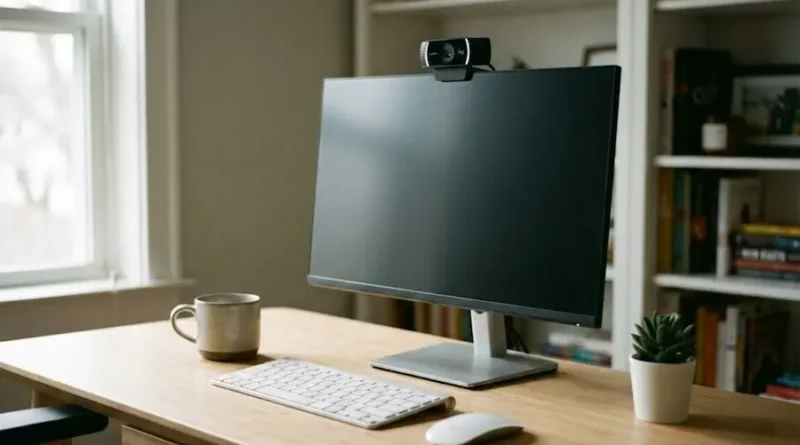
Best Web Camera for 2026: Simple Guide to Pick the Right One
Remember when we all thought working from home would be temporary? Yeah, me too. Three years later, and here we are, still on Zoom calls. And if you’re like most people, you’re probably still using that terrible laptop camera that makes you look like you’re calling from a cave.
I get it. You want to look good on camera without spending a fortune or becoming a tech expert. The good news? Finding the best web camera for your needs isn’t as hard as it seems. You just need to know what matters (and what’s just fancy marketing talk).
For People in a Hurry
Best Overall: Elgato Facecam MK.2 ($170) – Amazing picture, works great in any light, super easy to use.
Best Budget Pick: Logitech C920 ($70) – The classic that still works great. Perfect if you just need good quality without breaking the bank.
Best for Streamers: Razer Kiyo Pro Ultra ($300) – If you’re serious about streaming and want the absolute best picture quality.
Best 4K on Budget: Insta360 Link 2C ($150) – Great 4K quality without the crazy price tag.
Now, let’s talk about how to choose the right one for YOU.
First Things First: What Do You Really Need?
Before you start comparing specs and reading reviews, ask yourself these simple questions:
What will you use it for?
- Quick video calls with your team? You don’t need anything fancy.
- Streaming on Twitch or YouTube? Invest in better quality.
- Recording videos for your business? Get something with good 4K.
- Just chatting with family? A budget camera works fine.
What’s your lighting situation? This is HUGE, and most people ignore it. The best camera in the world will look terrible in bad lighting. Look around your desk right now:
- Is there a bright window behind you? (Big problem!)
- Do you have good overhead lighting?
- Is your room usually dark?
What’s your budget? Be honest. You can get a decent webcam for $60-70, a great one for $150-200, or go premium at $250-300. More expensive doesn’t always mean better for YOUR situation.
What Really Matters (And What Doesn’t)
Let me save you from the marketing nonsense. Here’s what makes a difference:
Resolution (But Not How You Think)
Everyone talks about 4K like it’s magic. Here’s the truth: Most video calling apps (Zoom, Teams, Google Meet) don’t even support 4K. They max out at 1080p.
My advice:
- For video calls and meetings: 1080p is perfect
- For streaming or recording: 4K can be nice to have
- For family video chats: Even 720p works fine
Don’t pay extra for 4K unless you’re going to use it.
Frame Rate (This One Matters)
Frame rate is how smooth your video looks. Think of it like flipping pages in a book fast:
- 30 fps (frames per second): Good enough for most people
- 60 fps: Smoother, better if you move around a lot or stream games
Unless you’re a streamer or make videos professionally, 30 fps works great.
Low Light Performance (SUPER Important)
This is where cheap cameras fall apart. If your room isn’t perfectly lit, a bad camera will make you look grainy and dark.
Look for cameras with:
- Bigger sensors (lets in more light)
- Auto light correction
- Good low-light reviews
Some cameras that are amazing in low light:
- Razer Kiyo Pro Ultra (the best, but expensive)
- OBSBOT Meet 2 (great middle option)
- Logitech Brio 4K (solid premium choice)
Autofocus (Yes or No?)
Some cameras adjust focus on their own when you move. Others stay fixed.
Get autofocus if:
- You move around while talking
- You lean forward/backward a lot
- You do product demos or show things on camera
Skip it if:
- You sit still during calls
- You’re on a tight budget
- You want one less thing that can mess up
Field of View (How Much It Sees)
This is the angle the camera captures:
- Wide angle (90+ degrees): Shows more of your room, good for multiple people
- Standard (70-80 degrees): Just you, perfect for calls
- Narrow (less than 70): Close-up, good for streaming
Most people are fine with 70-80 degrees. Don’t stress about this too much.
The Best Web Cameras Right Now (By Real Situations)
Forget boring spec lists. Here’s what works for real people:
For the “I Just Need Good Video Calls” Person
Logitech C920 ($70)
This camera has been around forever because it just works. No fancy features, no complicated setup. Plug it in, join your meeting, look good. Done.
Perfect for:
- Office workers doing daily video calls
- Students in online classes
- Anyone who wants simple and reliable
Not great for:
- Streaming (it’s okay, but not amazing)
- Very dark rooms
- Professional video recording
For the Work-From-Home Professional
Elgato Facecam MK.2 ($170)
This is the sweet spot. Great picture quality, works well in different lighting, and the software lets you adjust settings easily. You look professional without paying premium prices.
What makes it special:
- Uncompressed video (no weird blurry spots)
- Good in both bright and dim rooms
- Easy to clip onto your monitor
- Privacy cover included
The only downside? No microphone included. But honestly, webcam mics are usually terrible anyway.
For the Serious Streamer
Razer Kiyo Pro Ultra ($300)
If you’re building a streaming career or making professional videos, this is worth it. The picture quality is incredible. Like, “people will ask what camera you use” incredible.
Why it’s the best:
- Huge sensor (better than most cameras at any price)
- Amazing in low light
- Real depth effect (blurry background) without fake software tricks
- Professional-looking results
But:
- It’s expensive
- The lens is a bit wide (fish-eye effect)
- You need good software to control it
For the Budget-Conscious 4K Seeker
Insta360 Link 2C ($150 on sale, $200 regular)
Want 4K quality without spending $300? This is your answer. When it goes on sale, it’s a steal.
Good stuff:
- Real 4K recording (when you need it)
- AI tracking (follows you around)
- Solid build quality
- Good enough for streaming or professional calls
Not-so-good stuff:
- AI features are a bit gimmicky
- Better options exist if you only need 1080p
- Not the best in super dark rooms
For the “I Need It to Track Me” Person
OBSBOT Meet 2 ($120-150)
This little camera is surprisingly smart. It follows you around on its own, and you can even flip it sideways for vertical videos (perfect for TikTok or Instagram content).
Great for:
- Content creators making vertical videos
- People who move around while on camera
- Anyone wanting AI tracking without paying $300
The tracking works well, unlike some cheaper cameras that just zoom randomly.
For Families and Groups
NexiGo N980P ($80-100)
Wide angle lens, good for fitting multiple people in the frame. Perfect if you’re video calling with grandparents and the whole family wants to say hi.
Why families love it:
- Fits everyone without squishing together
- Simple plug-and-play
- Affordable
- No complicated settings to mess with
Mistakes People Make (Don’t Be That Person)
Mistake #1: Buying 4K When You Don’t Need It
Seriously, unless you’re recording and editing videos, you’re wasting money. Most platforms don’t even support it, and it makes your files huge.
Mistake #2: Ignoring Your Lighting
A $50 camera with good lighting beats a $300 camera in a dark room. Before you buy anything expensive, try:
- Moving your desk near a window (face the window, don’t sit with it behind you)
- Adding a cheap desk lamp
- Using a ring light ($20-30 on Amazon)
Mistake #3: Forgetting About Your Internet
The best camera in the world can’t fix a slow internet connection. If your video is choppy, it’s probably your WiFi, not your camera.
Mistake #4: Not Testing the Return Policy
Some cameras look great in reviews but terrible in YOUR room with YOUR lighting. Buy from somewhere with easy returns (Amazon, Best Buy) so you can test it first.
Mistake #5: Relying on the Camera’s Microphone
Webcam microphones are almost always bad. If audio quality matters, get a separate USB microphone. Even a $30 one is better than any webcam mic.
Setup Tips to Look Better Right Away
You bought a nice camera. Great! Now don’t ruin it with bad setup:
Camera Position:
- Put it at eye level (stack some books if needed)
- Don’t angle it up your nose (not a good look)
- Center yourself in the frame
Lighting:
- Face a window or lamp
- Never sit with a bright window behind you (you’ll look like a shadow)
- If you only have overhead light, angle a desk lamp to light your face
Background:
- Keep it clean and simple
- Avoid busy, distracting stuff
- A plain wall works great
- Fake backgrounds look fake (sorry, they do)
Distance:
- Sit about arm’s length from the camera
- Too close = weird
- Too far = why did you buy a good camera?
Do You Really Need a Webcam?
Real talk: Your phone has a better camera than most webcams. If you’re on a tight budget, you can use your phone as a webcam with apps like DroidCam or EpocCam.
But if you’re doing regular video calls or streaming, a real webcam is more convenient. You don’t want to deal with propping up your phone every single day.
The Bottom Line
The “best” web camera is the one that fits YOUR situation:
Tight budget, just need it to work? Logitech C920. Classic, reliable, gets the job done.
Want to look professional without overthinking it? Elgato Facecam MK.2. Great quality, easy to use.
Building a streaming career? Razer Kiyo Pro Ultra. Expensive, but worth it if this is your job.
Need 4K on a budget? Insta360 Link 2C when it’s on sale.
Creating vertical content? OBSBOT Meet 2. Unique and genuinely useful.
Don’t overthink this. Pick one that fits your budget and needs, test it out, and if it doesn’t work, return it and try another. Most people are way happier with a $70 camera in good lighting than a $300 camera in a dark room.
Now stop reading reviews and just pick one. Your potato-quality laptop camera is making you look worse than you think.
Common Questions People Ask
Do I need 4K for Zoom calls?
Nope. Zoom maxes out at 1080p. Save your money.
What about laptop cameras?
They’re usually pretty bad. Even a cheap external webcam is better.
Should I get a camera with a microphone?
The camera part matters. The microphone doesn’t. Get a separate mic if audio quality matters.
What’s the difference between 30fps and 60fps?
60fps is smoother but uses more internet and computer power. 30fps is fine for most people.
Will a better camera work in my dark room?
Better than a cheap one, yes. But fix your lighting first. Seriously.
Can I use my camera for streaming AND calls?
Yes! Any good webcam works for both. Just pick based on your main use.
How long do webcams last?
Years. They don’t have many moving parts. Just don’t drop it.
Remember: The best camera is the one you’ll use. Pick something in your budget, set it up properly, and you’re good to go.