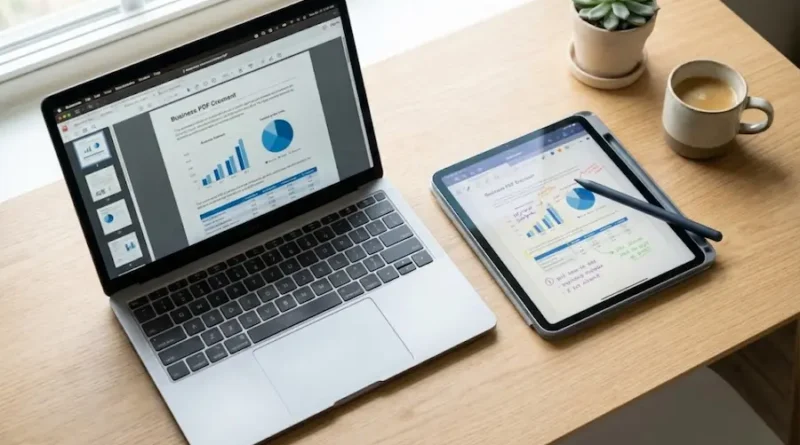
AxelaNote: Write on Any PDF for Just $50/Year (Even Locked Ones)
You know that feeling when you need to fill out a PDF form or add notes to a document, but you can’t edit it? Yeah, we’ve all been there. You end up printing the whole thing, scribbling on it with a pen, then scanning it back. What a waste of time and paper, right?
Well, here’s the good news. There’s a tool called AxelaNote that makes all of this super easy. And the best part? It won’t empty your wallet like some other PDF tools out there.
Let me walk you through everything you need to know about AxelaNote, and trust me, by the end of this, you’ll wonder why you didn’t find it sooner.
What is AxelaNote Anyway?
Think of AxelaNote as your digital pen and paper, but way smarter.
It’s a PDF editing software that lets you write, draw, and add notes on any PDF file. The cool thing is that it doesn’t mess with your original document. Instead, it places a transparent layer over your PDF, kind of like putting a clear sheet on top of paper.
This means you can write all over your PDF, but the original stays perfect and untouched underneath. Pretty smart, right?
AxelaNote was created by a company called TransRecog in Japan. These guys actually won eight awards for this software, including some big ones from the Japanese government. So yeah, they know what they’re doing.
Why Should You Care About AxelaNote?
Okay, so there are tons of PDF editors out there. Why pick this one?
Here are some real reasons why people love AxelaNote:
It Works on Locked PDFs
Ever tried to edit a PDF that has restrictions? Like those forms that say “no editing allowed” or “printing disabled”? Super annoying.
AxelaNote doesn’t care about those restrictions. Because it’s not actually editing the PDF, it’s just adding a layer on top. So you can write on ANY PDF, even the locked ones.
Your Original File Stays Safe
This is huge. When you add notes with AxelaNote, you’re not changing the actual PDF. The original stays exactly as it was.
This is perfect when you’re working with important documents like blueprints, legal papers, or official forms. You can add all your comments and notes without worrying about messing up the original.
Super Easy to Use
You don’t need to be a tech expert to use AxelaNote. If you can use a pen and paper, you can use this.
The interface is simple and clean. Just open your PDF, grab your pen (if you have a tablet) or mouse, and start writing. That’s it.
Works Great with Touch and Pen
Got a tablet or a touchscreen laptop? AxelaNote works perfectly with pen and touch input.
You can literally write on your screen just like you would on paper. It feels natural and smooth. No lag, no weird glitches.
Many people use it with <a href=”https://www.microsoft.com/en-us/surface” rel=”nofollow” target=”, blank”>Microsoft Surface tablets</a> and similar devices because the pen support is so good.
Saves You Money
Get this. Adobe Acrobat costs around $240 per year. That’s a lot of money, especially if you’re a student or running a small business.
AxelaNote? Just about $50 per year. Yes, you read that right. That’s less than the cost of five cups of coffee at Starbucks.
You Can Try It Free
Not sure if AxelaNote is for you? No problem. They give you 14 days to try it completely free.
No credit card needed. Just download it, test it out, and see if you like it. If you don’t, no big deal. But I’m betting you’ll love it.
Who Actually Uses AxelaNote?
AxelaNote isn’t just for one type of person. Lots of different people use it for different things:
Students
If you’re in college or university, AxelaNote is a lifesaver. You can:
- Take notes on PDF textbooks
- Fill out assignment forms
- Annotate research papers
- Mark up lecture slides
And you don’t need to print anything. Just write directly on your screen.
Teachers and Professors
Teachers love AxelaNote because they can:
- Grade papers digitally
- Add comments to student work
- Mark up lesson materials
- Create interactive presentations
No more stacks of paper to carry around!
Business People
If you work in an office, AxelaNote helps you:
- Review and approve documents
- Sign contracts digitally
- Collaborate on reports
- Mark up blueprints and designs
Big companies like Shimizu Corporation and Daiwa Lease actually use AxelaNote. If it’s good enough for them, it’s probably good enough for your business too.
Government Workers
Lots of government offices in Japan use AxelaNote. Even the Ministry of Defense uses it!
Why? Because it’s secure, reliable, and makes paperwork way easier.
Cool Features You’ll Actually Use
Let me break down some of the features that make AxelaNote really useful:
Write Anywhere
You can write text, draw shapes, add arrows, highlight stuff. Basically, anything you’d do with a pen on paper, you can do on your PDF.
Pre-Made Comments
Got comments you use over and over? Save them as templates.
For example, if you’re a teacher and you always write “Good job!” or “Please explain more,” just save those phrases. Then you can insert them with one click. Saves tons of time.
Compare Different Versions
Did someone change the document? AxelaNote can show you exactly what changed between two versions.
This is super helpful when you’re working with a team and need to track edits.
Merge Your Notes
You can take notes from different files and combine them into one. Perfect when you’re collecting feedback from multiple people.
Works Offline
No internet? No problem. AxelaNote works completely offline.
You don’t need to upload your documents to some cloud service. Everything stays on your computer, which is great for privacy and security.
AxelaNote vs Adobe Acrobat (The Honest Truth)
Look, Adobe Acrobat is the big name in PDF editing. Everyone knows it. But is it better than AxelaNote?
Not necessarily. Here’s the real comparison:
Price
- Adobe Acrobat: $239.88 per year
- AxelaNote: Around $52 per year
Winner: AxelaNote by a mile.
Ease of Use
- Adobe Acrobat: Lots of features, but can be overwhelming. Takes time to learn.
- AxelaNote: Simple and straightforward. You can start using it in minutes.
Winner: AxelaNote for beginners.
Features
- Adobe Acrobat: Has more features overall. Better for complex PDF creation and editing.
- AxelaNote: Focused on annotation and note-taking. Does this really well.
Winner: Depends on what you need. For basic PDF work, AxelaNote is plenty. For advanced stuff, Adobe might be better.
Works on Locked PDFs
- Adobe Acrobat: Nope, restrictions stop you.
- AxelaNote: Works on any PDF, even locked ones.
Winner: AxelaNote, hands down.
Speed
- Adobe Acrobat: Can be slow, especially on older computers.
- AxelaNote: Fast and lightweight. Works smoothly even on basic laptops.
Winner: AxelaNote.
So which one should you pick? If you need to do basic PDF annotation, signing, and note-taking, AxelaNote is perfect. It’s cheaper, easier, and does everything you need.
If you’re doing serious PDF creation, like making forms from scratch or doing complex editing, then Adobe Acrobat might be worth the extra money.
For most people though? AxelaNote is the smarter choice.
Real People, Real Results
Don’t just take my word for it. Look at what actual companies said after using AxelaNote:
Matsumoto Corporation (Construction Company) They used to print PDF blueprints, mark them up with pens, then scan them back. What a hassle.
After switching to AxelaNote, they can write directly on the digital blueprints. No printing, no scanning. Just quick and easy notes.
They said it “significantly improved efficiency” and let them work from anywhere.
A Government Organization This organization had workers who needed to work from home during the pandemic.
The problem? They had to fill out lots of forms, and printing at home wasn’t practical.
AxelaNote let them fill out everything digitally. They achieved “a flexible work environment that is not bound by the workplace.”
Major Developer Company This company works with blueprints that get shared between different teams.
Before AxelaNote, they printed everything and made notes with pens. This caused confusion about who changed what.
After AxelaNote, everyone could add notes without changing the original PDF. “Made it easier to align understanding between companies and reduced issues after construction.”
How to Get Started with AxelaNote
Ready to try it? Here’s what you do:
Step 1: Download the Free Trial
Go to the official AxelaNote website (search for “AxelaNote download” on Google). Click the download button and install it on your computer.
You get 14 days free. No credit card required.
Step 2: Open a PDF
Launch AxelaNote and open any PDF file you want to work on. Could be a form, a textbook, a blueprint, whatever.
Step 3: Start Writing
Pick your pen tool and start writing. You can change colors, line thickness, and more.
If you have a tablet with a stylus, it feels just like writing on paper. If you’re using a mouse, it works fine too.
Step 4: Save Your Work
When you’re done, save the file. AxelaNote creates a new file with your notes included. Your original PDF stays untouched.
Step 5: Decide if You Want to Buy It
After 14 days, if you like it (and you probably will), buy a license. It’s cheap enough that it’s totally worth it.
Some Things You Should Know
AxelaNote is awesome, but it’s not perfect. Here are a few things to keep in mind:
Windows Only
Right now, AxelaNote only works on <a href=”https://www.microsoft.com/en-us/windows” rel=”nofollow” target=”, blank”>Windows computers</a>. If you have a Mac or use Linux, you’re out of luck.
Hopefully they’ll add support for other systems in the future.
Focused on Annotation
AxelaNote is built for adding notes to existing PDFs. It’s not great for creating PDFs from scratch or doing heavy editing like changing images or restructuring pages.
If that’s what you need, you might want to look at other tools like Adobe Acrobat or Foxit.
Interface is Simple (Maybe Too Simple)
Some people might find the interface a bit basic. It doesn’t have all the fancy bells and whistles of Adobe Acrobat.
But honestly? That’s kind of the point. Simple is good when you just want to get work done.
Final Thoughts
Let me give you my honest take.
If you work with PDFs regularly and you need to add notes, fill out forms, or mark up documents, AxelaNote is absolutely worth trying.
It’s cheap, it’s easy to use, it works great with tablets, and it lets you write on any PDF, even the locked ones.
For students, teachers, office workers, and anyone who wants to go paperless, this is a fantastic tool.
Is it perfect? No. It’s Windows-only, and it’s not built for creating complex PDFs. But for what it does, it does it really well.
The 14-day free trial means you’ve got nothing to lose. Download it, test it out, and see if it works for you.
I’m betting you’ll find yourself wondering how you ever lived without it.
Give AxelaNote a shot. Your printer will thank you.