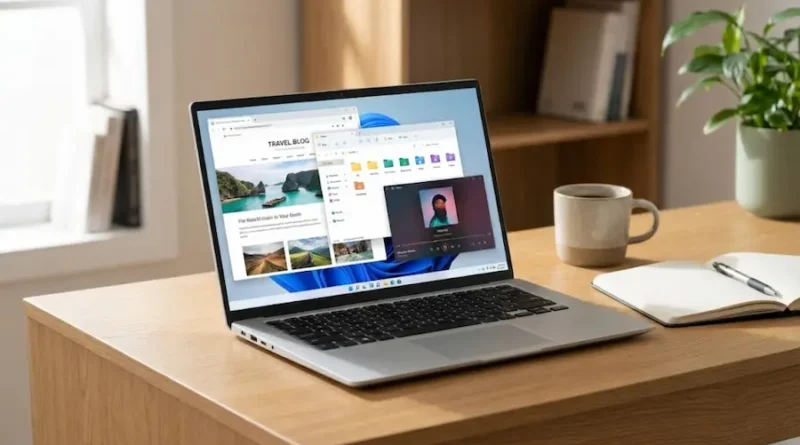
What is the Operating System in a Computer?
Have you ever wondered how your computer knows what to do when you click on an app? Or how your phone manages to run multiple apps at the same time without getting confused? The answer is simple: it’s all because of something called an operating system.
Think of it this way. Imagine you walk into a busy restaurant. There are cooks in the kitchen, waiters serving food, customers placing orders, and music playing in the background. Everything is running smoothly. But how? Because there’s a restaurant manager who makes sure everyone does their job at the right time.
Your computer has a manager too. It’s called the operating system, or OS for short. And just like that restaurant manager, it makes sure everything works perfectly.
What is Operating System?
An operating system is a special kind of software that controls your computer. It’s the boss that tells all your apps, files, and hardware what to do.
Let me break it down even simpler:
Without an operating system, your computer is just a fancy paperweight. It can’t do anything. No games, no internet, no videos, nothing. The OS is what brings your computer to life.
What makes it so important:
It manages your computer’s memory so apps don’t fight for space. It controls how fast programs run. It lets you see files and folders on your screen. It makes sure your mouse, keyboard, and printer all work together.
Think of your computer like a house. The operating system is the electricity, water pipes, and heating all rolled into one. You don’t always see it, but without it, nothing else works.
What Does an Operating System Do Every Day?
Okay, so now you know what an OS is. But what does it do all day?
Let’s say you want to watch a YouTube video. What happens when you click:
You click on your web browser. The OS wakes up and says, “Alright, let’s open the browser app.”
The browser needs memory to run. The OS finds some free space in your computer’s memory and gives it to the browser.
You start the video. The OS tells your speakers to play sound and your screen to show the video.
You open another app while the video plays. The OS divides the computer’s attention between both apps so they both run smoothly.
All of this happens in less than a second. And you don’t even notice. That’s how good your operating system is at its job.
The main things an OS does:
Manages memory: Makes sure every app gets the space it needs.
Runs programs: Opens apps when you click on them and closes them when you’re done.
Controls hardware: Makes your keyboard, mouse, printer, and webcam work.
Protects your files: Keeps your photos, documents, and downloads safe and organized.
Handles multiple tasks: Lets you listen to music while browsing the web and chatting with friends.
Without the OS doing all this work, you’d have to type complex commands just to open a folder. Trust me, you don’t want that.
What Are the Different Types of Operating Systems?
Not all operating systems are the same. Different devices use different types of OS. Let’s look at the most common ones.
Operating Systems for Computers
These are the operating systems you’ll find on laptops and desktop computers.
Windows is the most popular OS in the world. If you’ve used a PC at school or home, chances are it was running Windows. The latest version from Microsoft in 2026 is Windows 11, with Windows 12 expected soon. Windows is easy to use and works with tons of apps and games.
macOS is made by Apple. It only works on Mac computers. People love macOS because it looks beautiful and works really well with iPhones and iPads. If you own a MacBook, you’re using macOS.
Linux is a free operating system that anyone can change and improve. It’s popular with tech experts and programmers. You can also find it on many internet servers. Popular versions include Ubuntu and Fedora.
Chrome OS is made by Google. It’s super simple and works great if you use the internet a lot. Most Chromebooks in schools run Chrome OS.
Operating Systems for Phones
Yes, your phone has an operating system too! The big ones are:
Android is the most popular mobile OS in the world. It’s on Samsung phones, Google Pixels, and hundreds of other devices. Android 15 came out with better AI features and longer battery life.
iOS is Apple’s mobile operating system. If you have an iPhone or iPad, you’re using iOS. The latest version, iOS 19, has amazing privacy features and works perfectly with other Apple devices.
HarmonyOS is a newer OS made by Huawei. It’s growing fast, especially in China.
Each of these operating systems has its own style and features. But they all do the same basic job: manage your device so you can use it easily.
The Most Popular Operating Systems Today
Let’s talk about which operating systems people use in 2026.
For computers, Windows is still the king. According to recent data, it controls about 67% of the desktop market. That means more than half of all computers in the world run Windows.
macOS comes in second place. It’s not as popular as Windows, but people who use Macs absolutely love them.
Linux is less common on regular computers, but it’s huge on web servers and for developers.
For phones, Android wins by a landslide. It’s on billions of devices worldwide. iOS comes second but has a loyal fanbase.
Something interesting: your smartwatch, car dashboard, and even some fridges have operating systems too. They might be simpler, but they’re still doing the same basic job.
Why Should You Care About Your Operating System?
You might be thinking, “Okay, but why does this matter to me?”
Great question. Why understanding your OS is important:
It affects how fast your device runs. A good OS makes everything faster. An old or poorly maintained OS slows things down.
It keeps you safe. Your OS has security features that protect you from viruses and hackers. Keeping it updated is super important.
It determines what apps you can use. Some apps only work on certain operating systems. For example, you can’t use iMessage on Android, and you can’t use certain PC games on a Mac.
It can save you money. If your computer is slow, you might not need a new one. Sometimes, updating your OS or switching to a lighter one like Linux can make your old computer feel new again.
Understanding your OS also helps when things go wrong. If your computer freezes or an app won’t open, knowing about your OS can help you fix it faster.
Common Problems and Simple Fixes
Even the best operating systems can have issues. Some common problems and how to fix them:
Problem: Your computer is running really slow.
Fix: Restart your device. Close apps you’re not using. Delete old files you don’t need. Update your OS to the latest version.
Problem: An app won’t open.
Fix: Try restarting your computer. Check if the app needs an update. Make sure your OS is compatible with the app.
Problem: Your device says it’s running out of memory.
Fix: Delete photos, videos, and apps you don’t use anymore. Move files to cloud storage like Google Drive or iCloud.
Problem: You keep getting security warnings.
Fix: Update your operating system immediately. Don’t ignore security updates, they protect you from hackers.
Problem: Your computer won’t turn on.
Fix: Hold down the power button for 10 seconds, then try turning it on again. If that doesn’t work, you might need professional help.
Most OS problems are easy to fix if you know what to do. And if you’re ever stuck, a quick Google search usually helps.
What’s New in Operating Systems for 2026?
Technology never stops improving, and operating systems are no exception. What’s new and exciting in 2026:
AI is everywhere. Windows 12 is expected to have AI assistants that help you write emails, edit photos, and organize files. Android 15 and iOS 19 also have smarter AI features.
Better privacy controls. People care more about privacy now, so new OS versions have stronger security. You get more control over what apps can access.
Cloud-based systems are growing. More people are using operating systems that live in the cloud. This means you can access your files from any device, anywhere.
Longer battery life. Both phone and computer operating systems are getting better at saving power. That means your devices last longer on a single charge.
Foldable devices. As foldable phones and tablets become more popular, operating systems are learning to work better on these devices.
Operating systems keep getting easier, faster, and safer for you.
The Bottom Line
An operating system is the brain of your computer or phone. It manages everything so you can work, play, and stay connected without worrying about what’s happening in the background.
Whether you’re using Windows on your laptop, Android on your phone, or macOS on your Mac, the OS is quietly doing thousands of jobs every second to keep things running smoothly.
Now that you understand what an operating system is, you’ll have an easier time using your devices. You’ll know how to fix common problems, keep your device safe, and make smarter choices when buying new tech.
So the next time someone asks you, “What is an operating system?” you can explain it like a pro. And who knows? Maybe you’ll even help them fix their slow computer.
Remember: your operating system is your device’s best friend. Treat it well, keep it updated, and it’ll take care of you for years to come.