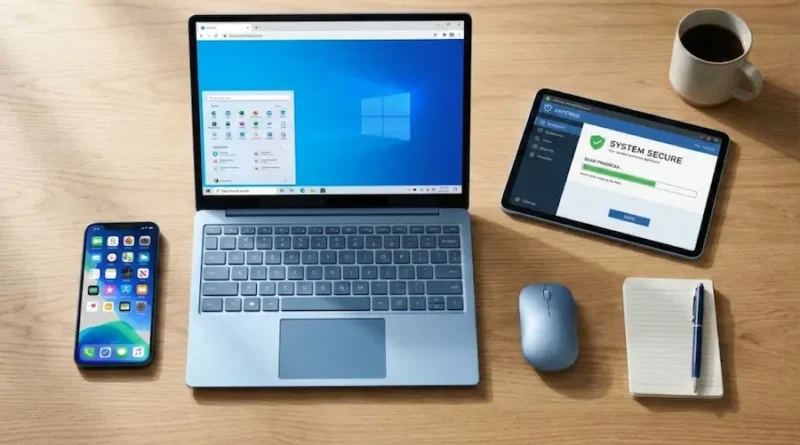
3 Types of Software Explained in Simple Words
Have you ever wondered what makes your computer actually work? Or how your favorite apps run on your phone? The secret is software, and today, we’re going to break it down in the easiest way possible.
Let me tell you something interesting: Every single thing you do on your computer or phone – from watching YouTube to playing games – depends on three main types of software working together like a team.
By the end of this article, you’ll understand exactly what these three types are and why they matter in your daily life.
What is Software Anyway?
Before we jump into the types, let’s keep it super simple.
Software is basically a set of instructions that tells your computer what to do. Think of it like a recipe. When you bake a cake, you follow steps, right? Software does the same thing – it gives your computer step-by-step instructions.
Now, let’s talk about the three main types of software that make everything work.
The 3 Types of Software You Need to Know
1. System Software – The Boss of Your Computer
What is it?
System software is like the manager of your computer. It controls everything behind the scenes. Without it, your computer won’t even turn on!
Think of it this way: Imagine a big factory where workers need someone to organize them, give them tools, and make sure everything runs smoothly. That’s exactly what system software does for your computer.
The most important example? Your operating system (OS).
Here are the most popular ones:
- Windows – Used on most laptops and desktop computers
- macOS – The software that runs on Apple computers
- Android – Powers most smartphones
- iOS – Runs on iPhones and iPads
- Linux – A free operating system used by programmers and tech experts
What does system software do?
Let me break it down:
- Manages your files – When you save a photo or document, the OS decides where to store it
- Controls hardware – It tells your mouse, keyboard, and printer how to work
- Runs other software – Apps and programs need the OS to function
- Keeps things secure – It protects your computer from viruses and hackers
Everyday example: When you turn on your laptop and see the Windows logo or Apple logo, that’s the system software starting up. It’s loading everything you need to start working.
Here’s the key point: System software is not something you use directly. It works quietly in the background, making sure everything else runs properly.
2. Application Software – The Tools You Actually Use
What is it?
This is the software you interact with every single day! These are the apps and programs you open to get things done.
Think of it like this: If system software is the boss, application software is the team of workers doing specific jobs. Each worker has one specialty.
Examples you already know:
- Microsoft Word – For writing documents
- Google Chrome – Your web browser for surfing the internet
- Instagram – Social media app for sharing photos
- Spotify – For listening to music
- Photoshop – For editing photos
- WhatsApp – For messaging friends and family
- Excel – For working with numbers and spreadsheets
- TikTok – For watching and creating short videos
What makes application software special?
This is why it matters:
- Solves specific problems – Need to write an essay? Use Word. Want to edit a photo? Use Photoshop.
- Easy to use – Most apps are designed so anyone can figure them out
- You choose what to install – You decide which apps you need based on your interests
- Updates regularly – Apps keep improving with new features
Everyday example: Right now, if you’re reading this article on your phone, you’re using a web browser or an app – that’s application software in action!
Fun fact: There are millions of apps available. The Google Play Store alone has over 3 million apps, and Apple’s App Store has more than 2 million. That’s a lot of choices!
3. Utility Software – The Helper and Protector
What is it?
Utility software is like the maintenance crew of your computer. These programs help keep your device running smoothly, protect it from harm, and fix problems when they pop up.
Think of it like this: Imagine you have a car. You need oil changes, tire checks, and car washes to keep it in great shape. Utility software does the same for your computer.
Popular examples:
- Antivirus software (like Norton, McAfee, Avast) – Protects you from viruses and malware
- CCleaner – Removes junk files to free up space
- WinRAR or 7-Zip – Compresses files to save space
- Disk Defragmenter – Organizes files so your computer runs faster
- Backup software – Saves copies of your important files
- Driver updaters – Makes sure your hardware works properly
What does utility software do?
Why you need it:
- Keeps your computer safe – Antivirus programs stop harmful viruses from attacking
- Speeds things up – Cleaning tools remove unnecessary files that slow you down
- Fixes errors – Diagnostic tools find and repair problems
- Saves your data – Backup programs protect your files if something goes wrong
Everyday example: Ever notice your computer running slow? A utility program like CCleaner can delete temporary files and make it faster again. Or maybe you’ve scanned your computer for viruses – that’s utility software protecting you.
Important note: Some people consider utility software a part of system software, but we’re counting it separately because it plays such an important role in maintenance and security.
Quick Comparison: The Three Types Side by Side
Let me make this super clear with a simple comparison:
| Type | What It Does | Who Uses It | Example |
|---|---|---|---|
| System Software | Runs your computer | Works automatically in background | Windows, Android |
| Application Software | Helps you do specific tasks | You use it directly | Chrome, Instagram |
| Utility Software | Maintains and protects | Runs when needed | Antivirus, CCleaner |
Why Understanding Software Types Matters
You might be thinking, “Okay, but why should I care?”
This knowledge is actually useful for several reasons:
1. Troubleshooting problems
When something goes wrong, knowing the difference helps you figure out what’s broken. Is your app crashing? That’s application software. Is your whole computer freezing? Could be a system software issue.
2. Making smart decisions
When buying a new device, you’ll know what operating system you want. When downloading apps, you’ll understand what they do.
3. Staying safe online
Understanding utility software means you’ll know the importance of antivirus protection and regular maintenance.
4. Career opportunities
If you’re interested in technology careers, this is basic knowledge you’ll need. Software developers, IT professionals, and tech support workers deal with these concepts every day.
How Do These Three Types Work Together?
The beautiful part? All three types work as a team!
Imagine you want to write a school essay:
- System software (Windows) – Turns on your computer and gets everything ready
- Application software (Microsoft Word) – Opens up so you can actually write
- Utility software (Antivirus) – Runs in the background protecting you while you work
They all depend on each other. Without system software, nothing else would run. Without application software, you couldn’t actually do any work. Without utility software, your computer would eventually get slow, infected, or damaged.
Think about a sports team – you need defenders, attackers, and a goalkeeper all working together to win the game.
Common Questions People Ask
Can I delete system software?
No! System software is essential. Deleting it would make your computer completely useless. It’s like trying to drive a car without an engine.
Do I need to buy application software?
Not always! Many apps are free (like Google Chrome, WhatsApp, or TikTok). Some professional programs like Microsoft Office or Photoshop cost money, but there are often free alternatives.
Is antivirus really necessary?
Yes! Utility software like antivirus is super important. It protects you from hackers, viruses, and identity theft. Even if you’re careful, threats exist online.
Which type of software is most important?
They’re all important! But if we had to choose, system software comes first because without it, nothing else works.
The Bottom Line
Understanding the three types of software – system software, application software, and utility software – isn’t just for tech geeks. It’s knowledge that helps you use technology better, solve problems faster, and stay safe online.
What you need to remember:
- System software = The boss that runs everything (like Windows or Android)
- Application software = The tools you use daily (like Instagram or Chrome)
- Utility software = The helper that maintains and protects (like antivirus)
Now the next time someone asks you about software, you can explain it like a pro! You understand how your devices actually work, which makes you smarter about technology.
One final thought: Technology keeps changing and improving. New types of software are being created all the time. But these three core categories will always be the foundation of how computers and phones work.
So go ahead – use your apps, keep your system updated, and don’t forget to run that antivirus scan once in a while. Your computer will thank you!
Want to learn more about technology? Share this article with friends who are curious about computers. The more people understand the basics, the better we all get at using technology safely and effectively.
And remember – every expert was once a beginner. You’ve just taken an important step in understanding how the digital world works. Keep learning, keep exploring, and most importantly, keep asking questions!
Visit the rest of our site for more tech updates.